📄Launching the Importer
Launching the importer
IMPORTANT:
After installing the mapp Framework, close and re-open Automation Studio before you try to launch the importer.
You must close the software configuration and CPU configuration before performing an import.
To launch the mapp Framework import tool within Automation Studio, first make sure to set a version for the Framework in Project -> Change Runtime Versions:
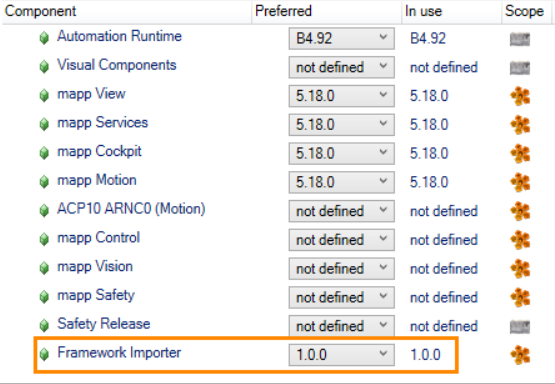
Then navigate to Tools → mapp Framework Importer:
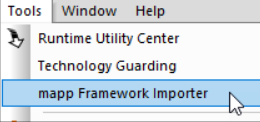
Notes:
- If you don't see this menu option after installing the Framework, then please close and re-open Automation Studio.
- If this menu option is grayed out, then the version number has not yet been set in Change Runtime Versions.
- It is recommended to close all open tabs before launching the importer.
- You can only import mapp Framework components to the active configuration.