📜 Recipe Workshop
This guide provides step-by-step instructions for setting up and using the X20 Edge Recipe Management Server. The setup involves configuring Docker, PocketBase, and an OPC UA-enabled PLC to manage and manipulate recipes efficiently.
Prerequisites
Before starting, ensure you have the following:
- X20 Edge
- A PLC
- Internet access via a LAN cable
- GitHub Repository: X20 Edge Recipe Management Server
Setup Process
Step 1: Clone the GitHub Repository
-
SSH into the X20 Edge device with the configured user.
-
Navigate to the directory where you want to store the project.
-
Clone the repository:
git clone https://github.com/BRDK-GitHub/X20Edge-RecipeManagment.git -
Navigate into the cloned repository:
cd X20Edge-RecipeManagment/docker
Step 2: Deploy Docker Compose
-
Ensure you are inside the
dockerfolder within the cloned repository. -
Run the following command to start the services:
docker compose up -d
Step 3: Configure PocketBase
-
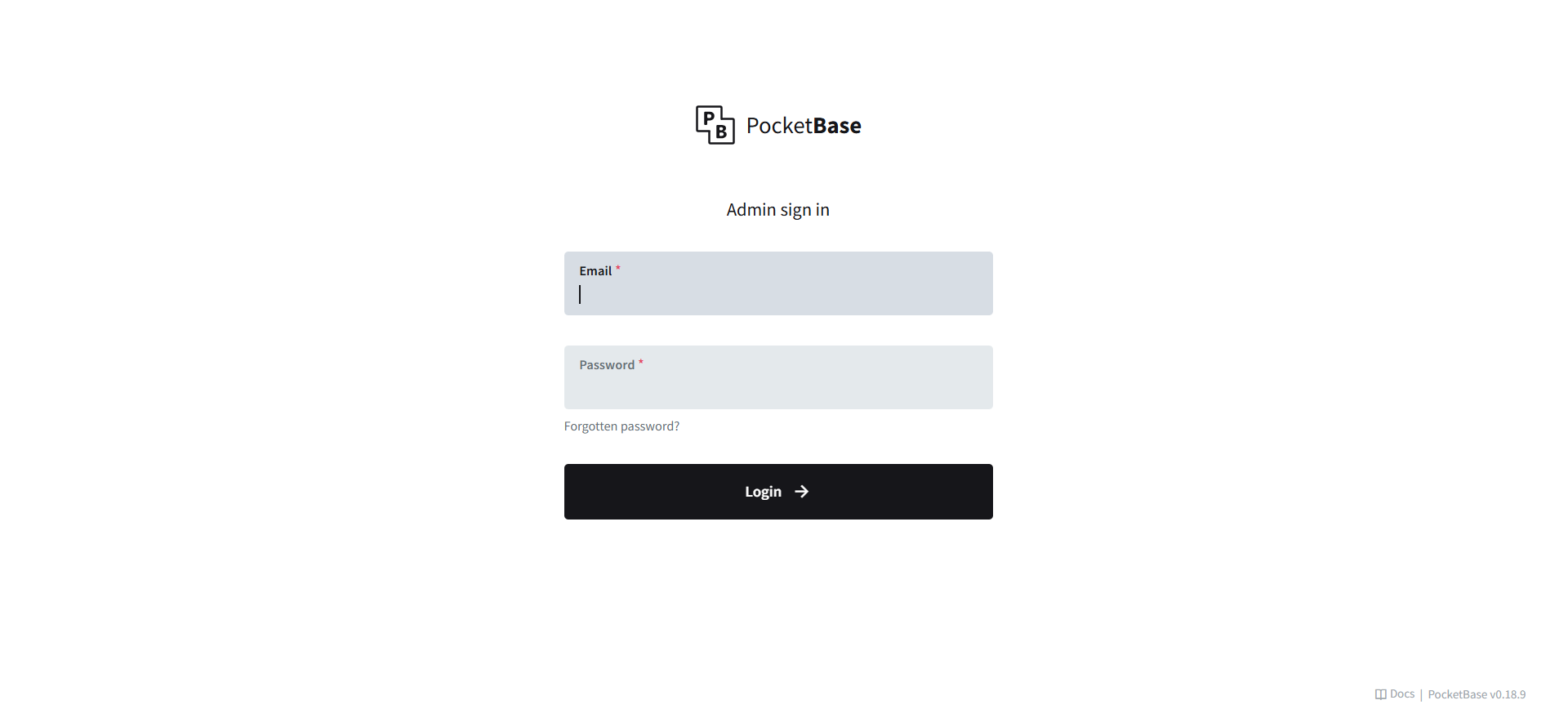
Open a web browser and navigate to
http://EdgeIP:8090/_/. -
Log in with the following credentials:
- Username:
test@test.com - Password:
1234567890
- Username:
-
Create a new collection named
Recipe. Add two fields: name as Plan text and recipe as a JSON.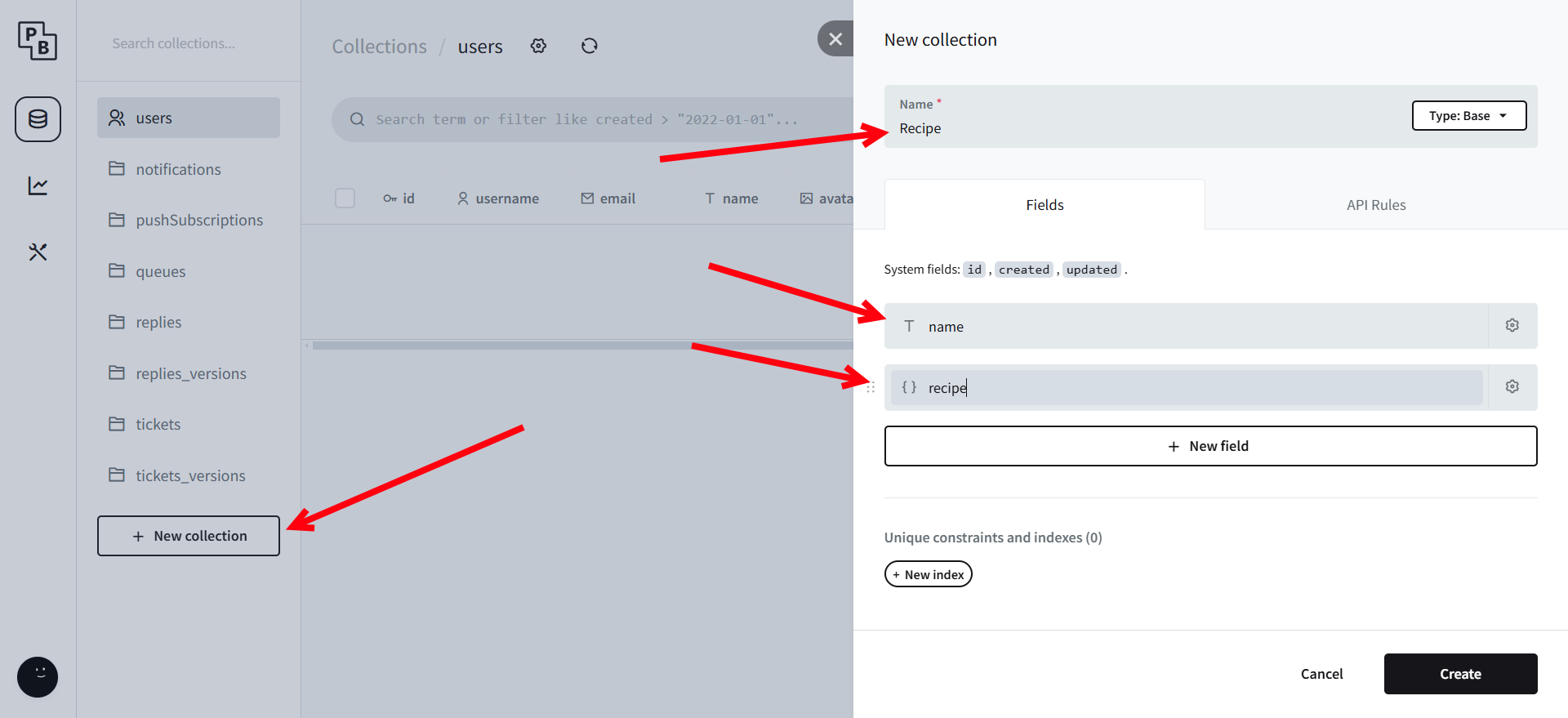
-
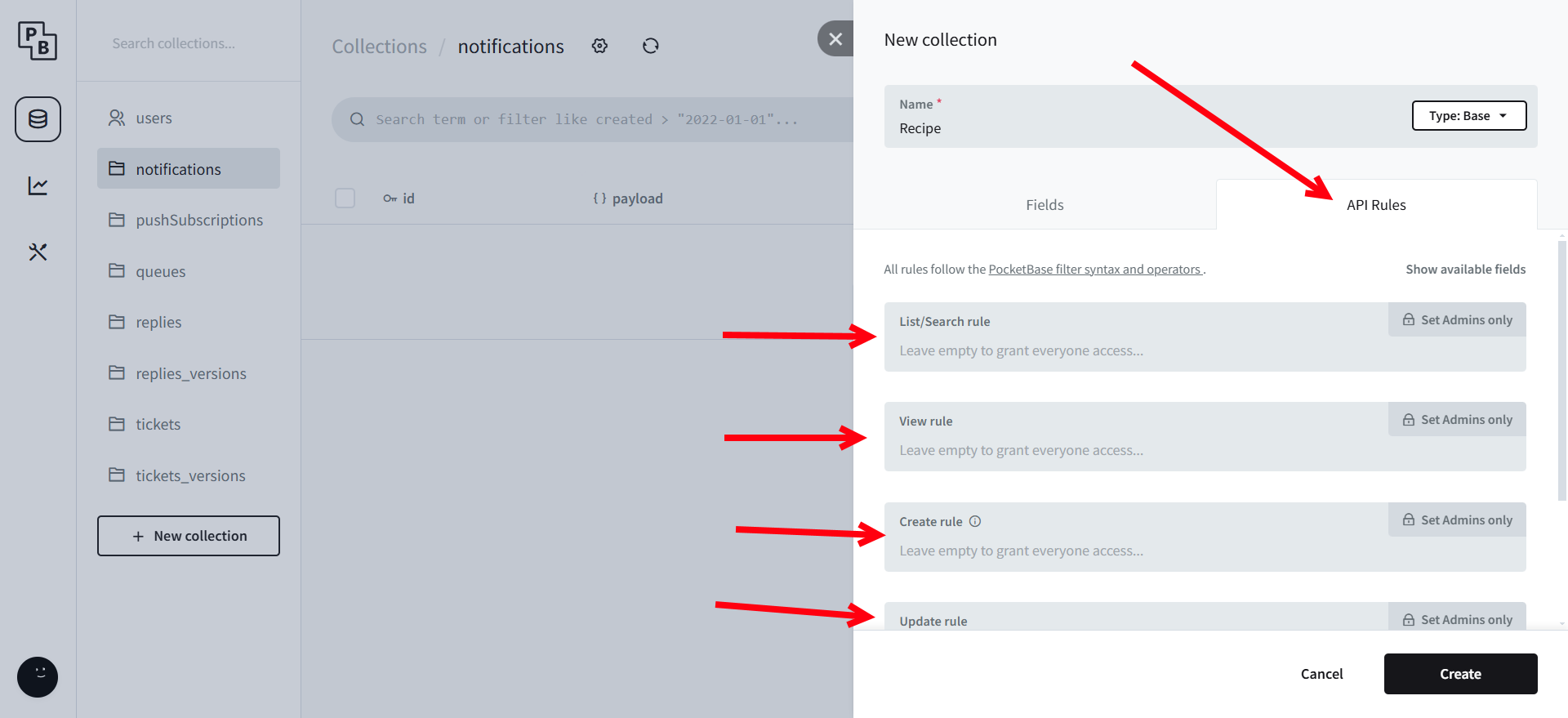
Assign appropriate permissions to allow data access. This is done by clicking on each of the rules.
Step 4: Access the Web Interface
-
Open a web browser and go to
http://EdgeIP:8070.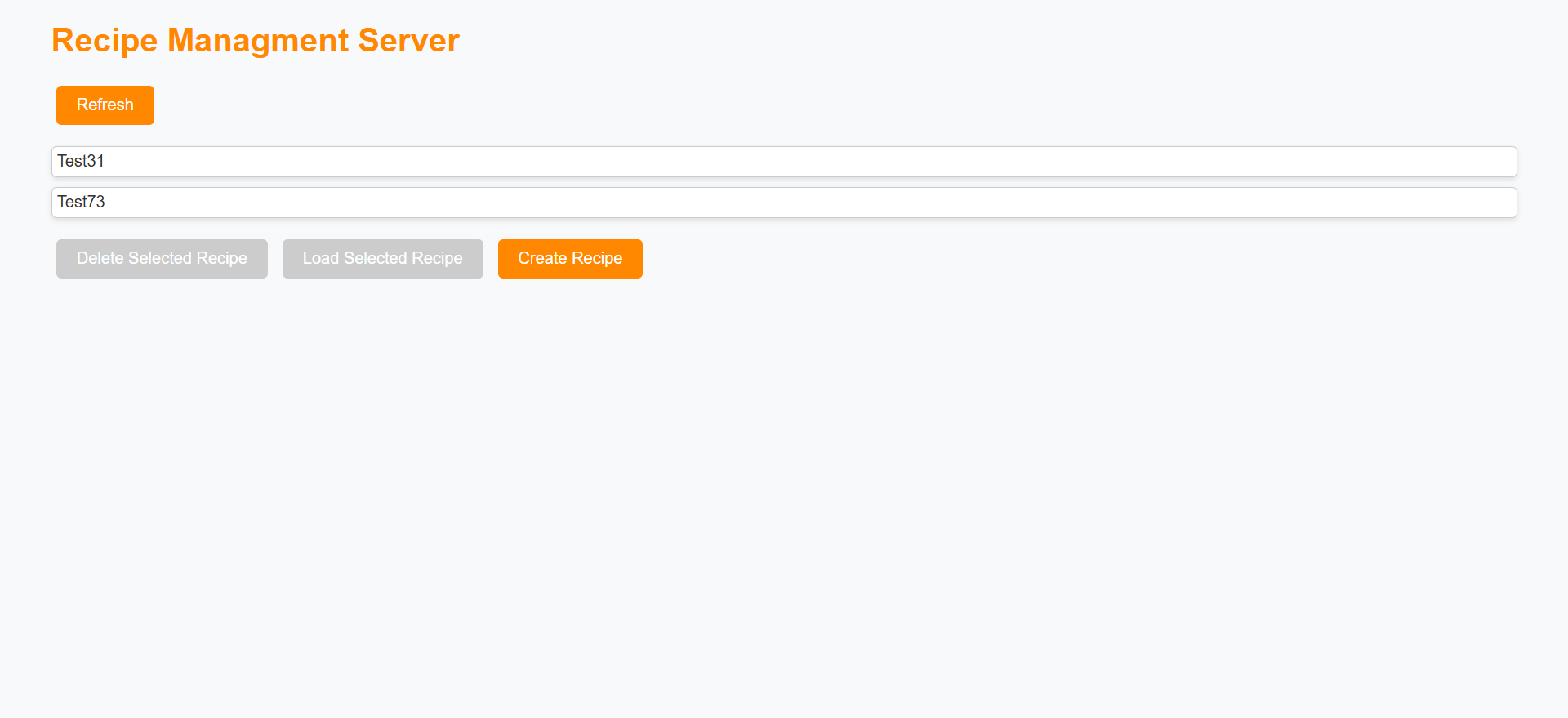
-
Click on Create Recipe.
-
You can now edit the recipe inside PocketBase or use its structure to create new ones.
PLC Configuration
Step 1: Enable OPC UA
- Ensure OPC UA is enabled in the PLC settings.
Step 2: Create a PLC Task
- Create a task named
Main. - Inside
Main, define a structure namedrecipewith the following variables:Name(string)Position(real)Heat(bool)
- Enable all variables for OPC UA access.
Summary
After following these steps, your X20 Edge should be running a recipe management system accessible via a web interface. The PLC can communicate with PocketBase through OPC UA, enabling real-time control and adjustments of recipes.
For additional support, visit the GitHub repository.