Appendix
Appendix
Kudos to Corne who provided the base for this sample!
Links
Supported OPC UA tag notes
Here are some notes for supported OPC UA tags by panel and version. This list may not be complete. See the panel documentation for more details.
Firmware 1.8.0
The following new parameters were introduced with PPT system version 1.8.0
- Gesture -> RestartSystem
- Web -> SynchronizeTimeWithWebServer
- Web -> NtpSyncTimeout
Firmware 1.7.0
The following new parameters were introduced with PPT system version 1.7.0
- Web: WaitForSync
Firmware 1.6.0
Changed parameter names starting with PPT system version 1.6.0 The mode and port settings for VNC and WebGL can be set separately starting with this PPT system version:
| Parameter name | <1.6.0 | >=1.6.0 | >=1.8.0 |
|---|---|---|---|
| RemoteAccessMode | x | ||
| RemoteAccessModeWebGL | x | ||
| RemoteAccessModeVNC | x | ||
| RemoteAccessPort | x | ||
| RemoteAccessPortWebGL | x | ||
| RemoteAccessWSPortWebGL | x | ||
| RemoteAccessPortVNC | x | ||
| Gesture->RestartSystem | x | ||
| Web->SynchronizeTimeWithWebServer | x | ||
| Web->NtpSyncTimeout | x |
The following new parameters were introduced with PPT system version 1.7.0
- Web: Enable screen capture
- Web: Suppress screen capture security warning
Methods
| Method name | Minimum version |
|---|---|
| RestartSystem | 1.7.0 |
Danger Zone
Here are some parameter changes that will break the panel OPC UA connection.
- Startup Mode: Service Page
FAQs
Connection is established but then error 2148466688 is returned from getting handle list
This error can occur when the panel type is not set correct. Check the panel type in the panel settings.
Connection is not established an error 2147811328 is returned from connecting to panel
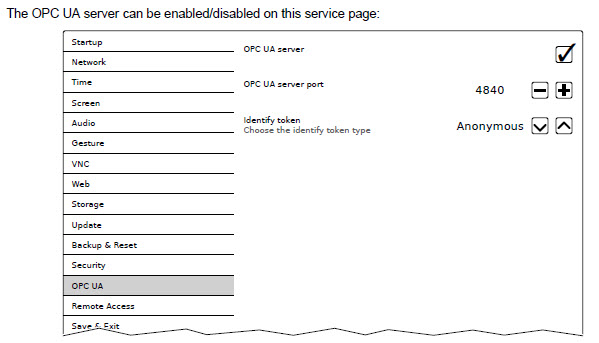
This error can occur when the OPC UA server on the panel is turned of. Make sure the OPC UA server is enabled in the panel settings.
When I try to compile the sample I get the error "undefined reference to 'UaSrv_GetServerState"
This error occurs when you dont use the latest OpcUa library. If you can't update the library, you can use the following workaround:
Change the line
IF (UaSrv_GetServerState() = UASS_Running) AND (PowerPanel.Diag.PingOk) AND (VariablesTotalIndex > 0) THEN
in
IF (PowerPanel.Diag.PingOk) AND (VariablesTotalIndex > 0) THEN